

Updated: Oct 10

A shipping container data center can provide a compact enclosure for servers, networking equipment, edge computing, or remote IT infrastructure. The container itself is only the starting point, though. A reliable installation also needs correctly sized power, heat removal, cable pathways, fire and environmental controls, physical security, monitoring, site preparation, and professional design review. Treat this as an early feasibility guide, not a promise that any standard container is a certified or turnkey data center.
What is a shipping container data center?
A shipping container data center is a data-processing or communications space built inside a steel intermodal container or a container-style modular enclosure. Depending on the project, it may support a small edge site, a temporary deployment, a backup environment, a remote monitoring location, or a specialized commercial installation.
The useful distinction is between the enclosure and the data center system. The enclosure can provide a durable, movable shell and a defined footprint. The system inside must be engineered around the equipment load and operating environment. That system may include:
Server or network racks, structured cabling, and service clearances.
Electrical service, distribution, grounding, surge protection, and backup power.
Dedicated cooling, ventilation, humidity control, and condensate management.
Smoke detection, fire protection, leak detection, and environmental alarms.
Access control, cameras, intrusion detection, lighting, and perimeter controls.
Local and remote monitoring for power, temperature, humidity, doors, leaks, and equipment status.
That is why a container can be a strong project platform without automatically being a finished data center. The final design depends on the IT equipment, uptime expectations, site utilities, climate, code requirements, and operating model.
When does a container make sense for data infrastructure?
Container-based deployment is most useful when the project benefits from a defined footprint, off-site modification, staged expansion, or a location where conventional construction would be slow or disruptive. Potential applications include:
Edge computing near a plant, campus, utility, warehouse, or communications site.
A temporary or relocatable IT environment during renovation or expansion.
Remote networking, telemetry, or industrial computing equipment.
A backup or disaster-recovery environment located away from a primary facility.
A phased deployment where capacity can be added after the initial installation.
It may be a poor fit when the site cannot support the required electrical service, cooling rejection, network connectivity, delivery equipment, security controls, or maintenance access. A container also does not eliminate zoning, permit, fire, electrical, structural, or environmental obligations. Confirm those requirements before ordering modifications.
How should you choose the container shell?
Start with the equipment and service plan, then select the shell. A 20-foot or 40-foot container may be a candidate, but length alone does not determine capacity. The layout must leave room for racks, airflow, electrical equipment, cable routing, doors, maintenance, and safe access. A high-cube option can provide additional vertical clearance, but the final usable height still depends on insulation, overhead pathways, fire protection, and any raised floor or equipment supports.
Planning factor | 20-foot candidate | 40-foot candidate |
Best starting point | Smaller edge, network, or remote IT installation. | More equipment, service space, or future expansion. |
Key tradeoff | Smaller footprint, less room for separation and maintenance. | More layout flexibility, greater delivery and site-planning demands. |
Review before modification | Rack clearances, cooling path, access, and equipment weight. | Rack layout, cable routes, cooling zones, access, and equipment removal path. |
Check condition before modification
For a used container, inspect the roof, corner posts, cross members, doors, seals, floor, and areas of corrosion. Confirm that it is wind and water tight for the intended use, and document repairs before cutting openings. A one-trip or newer unit may simplify the starting condition, but it still needs a project-specific review before penetrations, equipment mounting, or heavy service hardware are added.
Pay particular attention to:
Door operation and weather seals, including the planned personnel access door.
Roof drainage and any location where cooling equipment or cable entries may be installed.
Floor loading and support points for racks, batteries, UPS equipment, or transformers.
Existing rust, coatings, welds, and areas that will be opened or reinforced.
Penetrations that must be sealed against water, pests, smoke, and unconditioned air.
Mann's Cans can help customers compare available container options, while the project engineer and qualified installers determine whether the selected shell is suitable for the proposed modifications. See the available shipping container options before finalizing a design.
What power planning does a container data center need?
Power planning begins with a load schedule, not with a panel size. List the expected IT load and every supporting load, then model normal, peak, startup, and failure conditions. The schedule should account for:
Servers, storage, switches, routers, and other IT equipment.
Cooling equipment, fans, pumps, heat tracing, and condensate systems.
Lighting, receptacles, controls, security, fire protection, and monitoring.
UPS systems, battery charging, generators, transfer equipment, and losses.
Future equipment and the space needed to maintain safe operating margins.
A qualified electrical designer should determine service voltage, conductor sizes, overcurrent protection, disconnects, grounding and bonding, arc-flash requirements, and the equipment needed at the site. The container's steel shell must be incorporated into the approved grounding and bonding approach. Do not treat a portable extension cord or an improvised feedthrough as a data center power system.
Plan for continuity, not only connection
Ask what must remain online during a utility interruption and for how long. A small installation may use a UPS for ride-through and controlled shutdown. A higher-availability design may add a generator, automatic transfer equipment, redundant distribution, or separate power paths. Those choices affect fuel, noise, ventilation, maintenance, clearances, and permits.
Redundancy also has to be tested. Two power supplies in a server do not create a resilient installation if both power paths terminate at the same breaker, UPS, or generator. Define the failure scenarios the business actually needs to survive, then have the electrical and IT teams verify the design together.
For background on separating power and communications pathways in a modified container, review how shipping containers can be wired for power and data safely. A data center project requires a more detailed design than a general office or control space.
How do you keep servers cool inside a steel enclosure?
Cooling is usually the central feasibility question. Servers turn electrical energy into heat, and the cooling system must reject that heat continuously while keeping temperature and humidity within the equipment manufacturer's operating range. A steel shell can become hot in direct sun and can experience condensation when warm, humid air meets a cold interior surface.
Begin with the expected IT heat load and the outdoor design conditions for the site. Then evaluate:
Cooling capacity at the hottest and coldest expected outdoor conditions.
Airflow direction, rack orientation, and separation of supply and return air.
Humidity control and the risk of condensation during startup or seasonal changes.
Cooling redundancy, service access, alarms, and failure-mode operation.
Condensate drainage, exterior equipment location, and protection from snow or debris.
Whether air-side economizing, direct expansion, chilled water, or another approach is appropriate.
Do not select a residential air conditioner from a rough square-foot estimate. The right equipment depends on heat density, equipment arrangement, outdoor conditions, filtration, controls, and the required availability. High-density computing may require a different approach from a small network room. Liquid cooling introduces additional piping, leak detection, treatment, and maintenance considerations that need specialist design.
The U.S. Department of Energy's Best Practices Guide for Energy-Efficient Data Center Design is a useful reference for evaluating cooling and energy decisions. It does not replace a site-specific engineering design.
How should power and data cables enter the container?
Cable routing should be drawn before openings are cut. Show every service entrance, tray, conduit, rack row, bend, support, and maintenance path. Keep power and communications pathways separated according to the electrical and network design, and preserve the bend radius and pulling requirements for fiber and copper cabling.
Every penetration is a potential leak, pest entry point, thermal bridge, and fire or smoke path. Use listed, weather-rated assemblies appropriate to the wall and the service. Seal abandoned pathways and identify who is responsible for fire stopping after later cable additions. Avoid routing that blocks doors, emergency egress, cooling airflow, equipment removal, or access to disconnects.
Consider installing pathways with spare capacity. A container data center is difficult to rework after racks, insulation, and equipment are in place. Spare conduit, tray space, pull points, and labeled pathways can make future expansion less disruptive, but they should be coordinated with the approved design rather than added randomly.
Which fire and environmental controls belong in the plan?
Fire protection is not a single device. The design may involve detection, alarm notification, suppression, equipment shutdown, emergency power behavior, egress, fire-rated assemblies, and coordination with the local authority having jurisdiction. The appropriate strategy depends on the equipment, occupancy, site, jurisdiction, and applicable codes.
Have a qualified fire protection professional determine whether water-based, clean-agent, pre-action, or another system is appropriate. Do not assume that a clean-agent cylinder or a smoke detector by itself makes the enclosure compliant. Confirm how the system interacts with ventilation, cooling shutdowns, battery storage, emergency access, and people working inside.
Environmental protection should cover more than temperature. Include sensors and response plans for:
Temperature and humidity outside the normal equipment range.
Water or condensate near racks, cable entries, and cooling equipment.
Smoke, particulate intrusion, and loss of airflow.
Door position, unauthorized access, and tamper events.
Loss of utility power, UPS status, generator status, and phase or voltage faults.
Insulation and vapor control also need professional review. Adding insulation can improve thermal performance, but it can conceal corrosion, change the dew-point behavior of the wall, and reduce interior clearances. See the shipping container insulation planning guide for related enclosure considerations, then have a designer adapt the approach to the equipment and local climate.
How can you secure a shipping container data center?
Physical security should be layered. Start with a site that limits casual access, then protect the container and monitor attempts to enter it. Possible controls include a hardened personnel door, a protected locking arrangement, access control, intrusion contacts, cameras, perimeter fencing, lighting, and a documented visitor and maintenance process.
Security equipment needs power and communications that remain available when the primary system is disturbed. Decide where cameras store footage, how alarms reach an operator, how credentials are issued and revoked, and how emergency responders gain access. Protect exterior disconnects, generators, cooling equipment, and network demarcation points as well as the container door.
Physical controls do not replace cybersecurity. Network segmentation, secure device configuration, credential management, patching, and remote-access controls belong in the IT and security plan. NIST's SP 800-53 security and privacy controls can help teams organize control families, including physical and environmental protection, but it is not a substitute for the customer's security policy or compliance assessment.
For container-specific lock, alarm, and access ideas, review the shipping container security guide. A data center adds equipment, network, and operational requirements beyond ordinary storage security.
What should the monitoring and maintenance plan include?
A container data center should be observable even when nobody is standing beside it. Define the alarms that need local notification, remote notification, escalation, and an on-site response. At minimum, consider monitoring for:
Utility power, UPS input and output, battery condition, and generator state.
Rack inlet temperature, return temperature, humidity, and cooling alarms.
Water leaks, smoke, fire system status, and door or intrusion events.
Network connectivity, environmental controller status, and communication loss.
Equipment health, unusual load, fan failure, and loss of redundancy.
Write the response playbooks before commissioning. An alarm that says "high temperature" is less useful if nobody knows who can enter the site. What equipment can be shut down, how long the UPS will support the load, or which cooling failure requires immediate escalation. Schedule inspection of seals, roof and wall penetrations, filters, drains, corrosion, locks, batteries, fire protection, cameras, and backup power.
How do site delivery and construction affect feasibility?
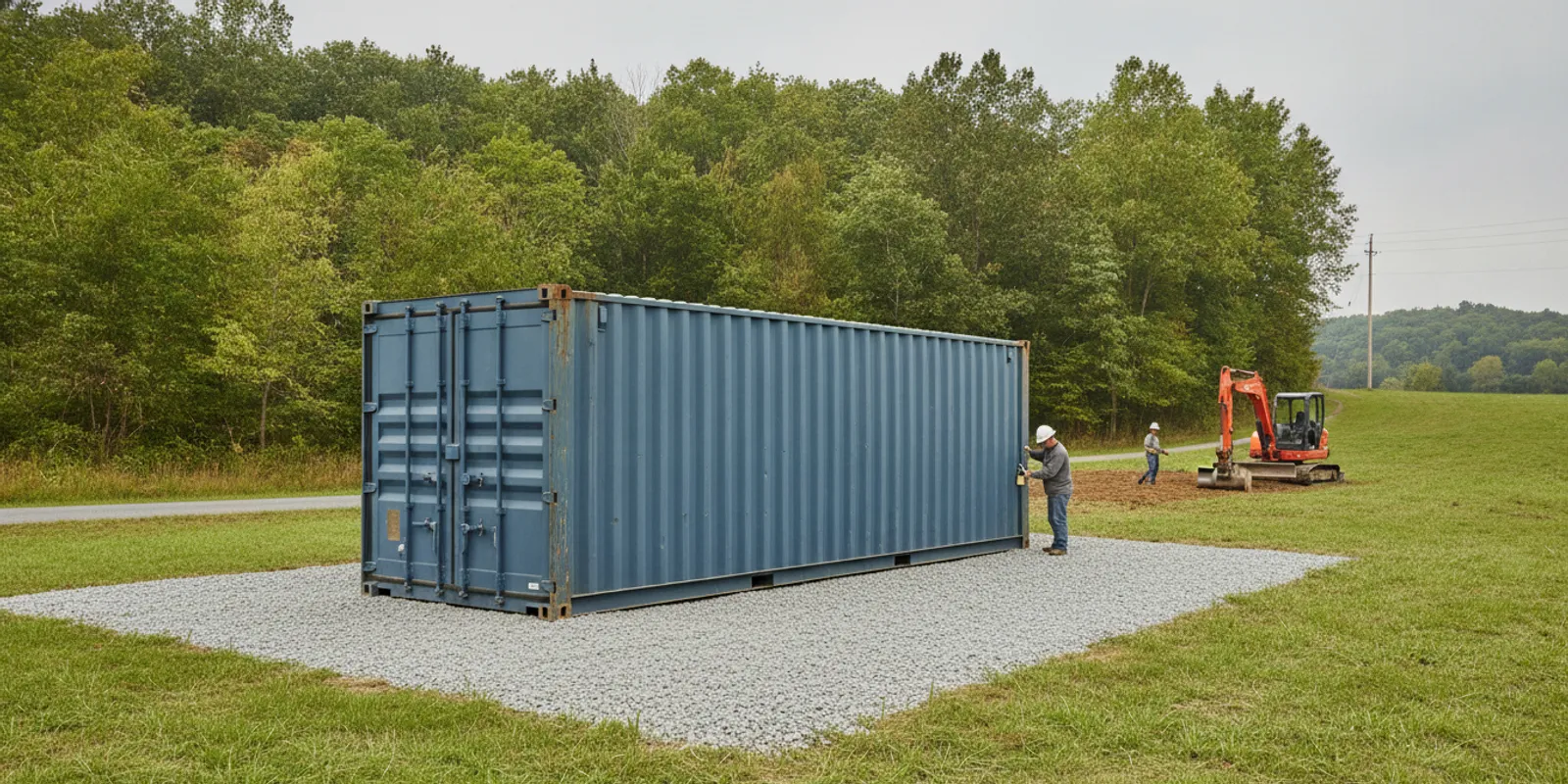
Site feasibility can stop a project before equipment selection matters. Confirm zoning and building requirements with the local authority, and ask qualified professionals to review structural, electrical, fire, environmental, and network requirements. A container used as a data center may be treated differently from an empty storage unit. Especially when it has permanent utilities, foundations, occupied work areas, generators, or fuel systems.
Review the delivery path and final placement early. The plan should account for:
Truck access, turning space, overhead wires, trees, gates, and road conditions.
Level support, drainage, flood exposure, snow, wind, and maintenance clearance.
Crane or specialized placement needs if the site cannot accept normal delivery.
Utility trenching, service location, network demarcation, and emergency access.
Noise and heat rejected by generators, chillers, condensers, or fans.
Space to remove or replace racks, cooling units, batteries, and other large components.
Mann's Cans can help evaluate the container, delivery path, and custom-enclosure conversation. The site owner remains responsible for confirming local approvals and engaging qualified specialists for the final design and installation.
What should a professional design review cover?
Before fabrication, assemble a coordinated design package. It should identify the equipment, loads, environmental requirements, access needs, and intended operating model. Ask the responsible professionals to review at least:
Structural changes, equipment weights, openings, supports, wind, and foundation or anchorage.
Electrical service, distribution, grounding, backup power, protection, and commissioning tests.
Cooling capacity, airflow, humidity, condensate, redundancy, and controls.
Fire detection, suppression, egress, emergency response, and authority requirements.
Network topology, cable pathways, grounding, remote access, and cybersecurity.
Physical security, monitoring, maintenance access, and replacement logistics.
Delivery, placement, utility connection, inspections, and acceptance testing.
This review is especially important when the enclosure will serve regulated workloads, support high-density computing, operate unattended, or be placed near occupied buildings. Mann's Cans can discuss the container platform and modification scope, but electrical, fire, structural, and network design require qualified specialists.
Frequently asked questions
Can a shipping container be used as a data center?
Yes, a shipping container can serve as the enclosure for a data center or edge-computing installation when the shell. Structure, utilities, cooling, fire protection, security, and monitoring are designed for the intended equipment and site. An empty container is not automatically a compliant or operational data center.
How do you power a container data center?
Power may come from utility service, a generator, a UPS, or a combination of sources. The correct arrangement depends on the IT load, cooling load, uptime requirement, site service, and local approvals. A qualified electrical designer should size the service and verify grounding, distribution, protection, and backup behavior.
How do you cool servers in a shipping container?
Use a cooling system sized from the actual IT and support-equipment heat loads, with airflow, humidity, condensate, outdoor conditions, controls, and failure modes included. A standard room air conditioner selected from floor area alone is not enough for a data center design.
Is a container data center secure?
It can be made more secure with a hardened door, controlled access, locks, cameras, intrusion alarms, lighting, fencing, and response procedures. Security must also cover power, cooling, network equipment, remote access, and emergency entry. The final controls should match the site's risk and the data being processed.
Do container data centers need permits?
Permit and approval requirements vary by location and by how the container is installed. Permanent utilities, foundations, generators, fuel, fire systems, structural modifications, and occupied access can all affect the review. Confirm zoning and building, electrical, fire, and other requirements with the local authority and qualified project professionals before fabrication.
A shipping container data center is best approached as a coordinated enclosure and infrastructure project. Start with the equipment and operating requirements, verify the site, select a sound shell. And bring in the right electrical, mechanical, structural, fire, network, and security specialists before committing to a build.


Comments